
Select Language
Best AI Watercolor Illustration Generator
We review the best AI tools for turning photos into watercolor paintings. See how CrafteAI's free generator compares to Waterlogue and BeFunky for authentic artistic results.
The Timeless Beauty of Watercolor
Watercolor painting has a unique charm. Its soft, translucent layers and delicate textures can capture light and emotion in a way that other mediums cannot. For centuries, this art form has required patience, skill, and a steady hand. But today, artificial intelligence offers a shortcut, allowing anyone to transform their photos into beautiful watercolor illustrations instantly.
We dove into the world of AI art generators to find the best tool for creating authentic and stunning watercolor effects.
The Contenders: Best AI Watercolor Illustration Generators
We judged the tools based on:
- Artistic Authenticity: Does the result look like a real watercolor painting, complete with texture and color bleeds?
- Detail Preservation: Does the AI capture the essence of the original photo?
- Ease of Use: How simple is it for a non-artist to get a great result?
- Value: Is the tool free and does it provide high-quality downloads?
Here’s our breakdown of the top performers:
1. CrafteAI Watercolor Illustration Generator
CrafteAI's AI Watercolor Illustration Generator stands out for its ability to produce exceptionally authentic and artistic watercolor effects with a single click. It's designed for users who appreciate the subtle beauty of the medium.
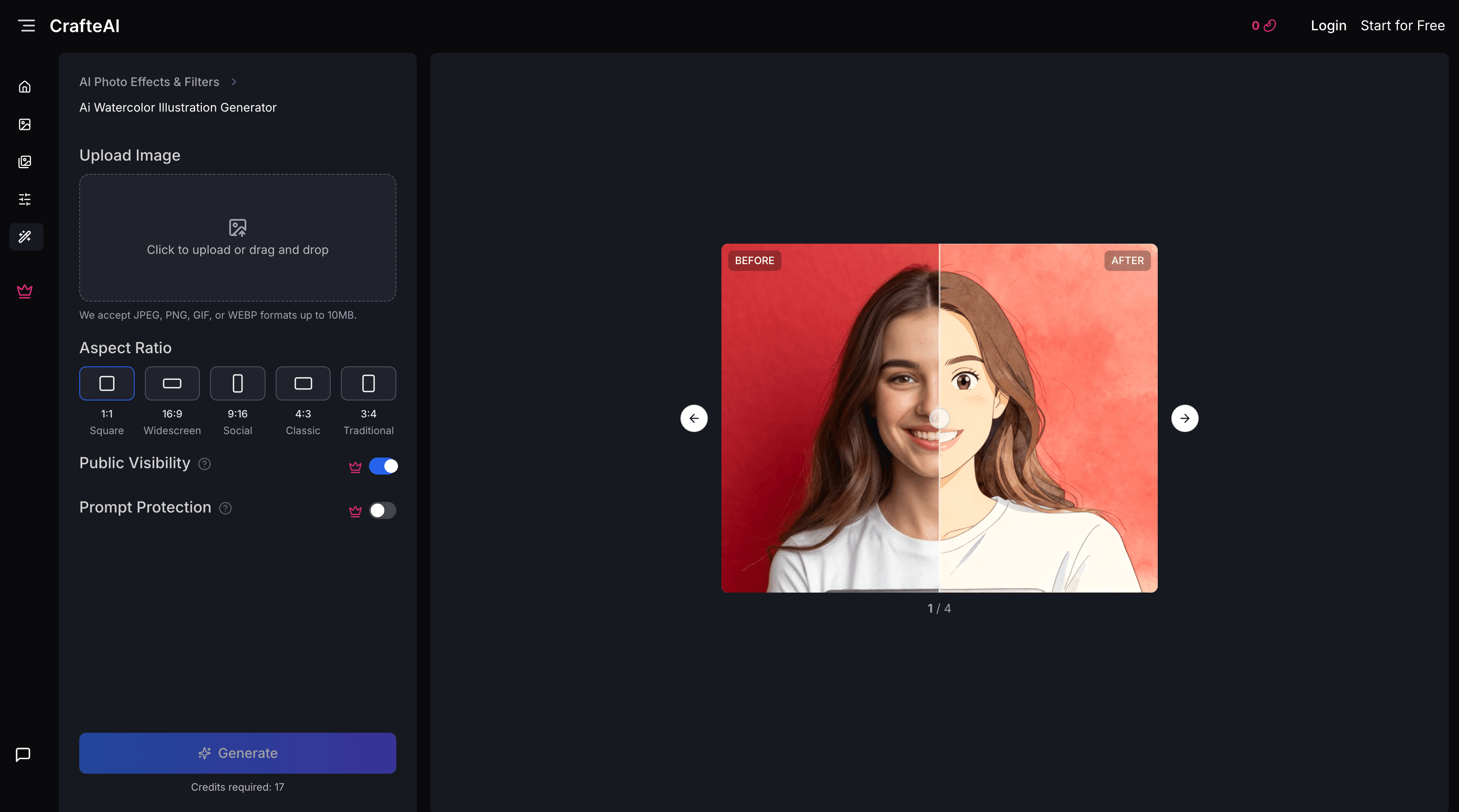
Pros:
- Stunningly Authentic Results: CrafteAI excels at recreating the nuanced look of real watercolor, including paper texture, soft edges, and layered colors.
- Effortless One-Click Process: There are no settings to adjust. You simply upload a photo, and the AI handles the entire artistic conversion.
- Completely Free with High-Resolution Downloads: You can create and download beautiful, print-ready watercolor art without any cost or subscriptions.
- Captures the Essence: The AI is skilled at simplifying details while retaining the core subject and mood of the original photo, just as a real artist would.
Cons:
- No Style Adjustments: The tool is focused on creating one specific, high-quality watercolor style, so you can't adjust the intensity or color palette.
Best For: Anyone who wants to create genuinely beautiful and convincing watercolor art from their photos with zero effort.
2. Waterlogue
Waterlogue is a classic and highly respected mobile app (iOS only) dedicated solely to turning photos into watercolor illustrations.
Pros:
- Variety of Styles: Offers several different watercolor presets that vary in wetness, detail, and color.
- High-Quality Engine: The app has been refined over years and produces beautiful, convincing results.
- Fine-Tuning Controls: Allows users to adjust details, size, and brightness.
Cons:
- Not Free: It's a paid app, so there's an upfront cost.
- iOS Only: It is not available for Android or on the web, which severely limits its accessibility.
Best For: iPhone and iPad users who are willing to pay for a dedicated app with more style controls.
3. BeFunky Photo Editor
BeFunky is a comprehensive online photo editor that includes a range of "Artsy" effects, one of which is a watercolor filter.
Pros:
- Part of a Full Editing Suite: You can apply the watercolor effect and then use other tools to crop, add text, or make further adjustments.
- Adjustable Intensity: Provides a slider to control the strength of the watercolor effect.
Cons:
- Less Authentic Look: The effect often looks more like a digital filter than a genuine watercolor painting. It can lack the subtle textures and bleeds of a top-tier generator.
- Premium Subscription Required for Best Quality: The best watercolor filters and high-resolution downloads are typically locked behind their "BeFunky Plus" subscription.
Best For: Users who already use BeFunky and want a quick, stylized watercolor look rather than a highly authentic one.
Comparison Summary
| Feature | CrafteAI | Waterlogue (iOS) | BeFunky |
|---|---|---|---|
| Authenticity | ⭐⭐⭐⭐⭐ (Excellent) | ⭐⭐⭐⭐⭐ (Excellent) | ⭐⭐⭐ (Filter-like) |
| Ease of Use | ⭐⭐⭐⭐⭐ (One-click) | ⭐⭐⭐⭐ (Simple UI) | ⭐⭐⭐⭐ (Easy slider) |
| Platform | Web (Universal) | iOS only | Web (Universal) |
| Pricing | Free | Paid | Freemium |
| Best For | Quality & Accessibility | iOS Power Users | All-in-One Editing |
Conclusion: The Best AI for Effortless Watercolor Art
While Waterlogue remains a fantastic paid option for Apple users, CrafteAI's AI Watercolor Illustration Generator is the best choice for the vast majority of users.
It delivers artistic quality on par with specialized paid apps, but does so for free and on any device via the web. Its ability to create such authentic and beautiful watercolor illustrations with a single click makes it a truly powerful and accessible tool for artists and non-artists alike.
To turn your photos into watercolor masterpieces, try the CrafteAI Watercolor Illustration Generator today.